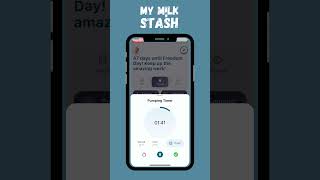
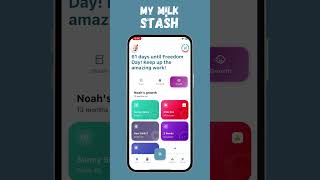
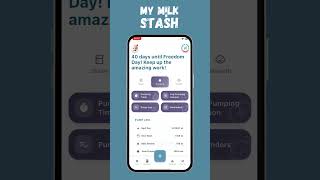
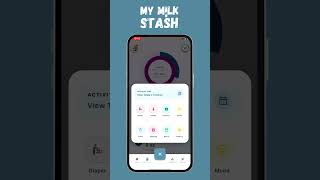
Learn how combo feeding works in Dalo Milk Stash. The app lets you track all types of feeding — breast milk bottles, direct nursing, and formula — and uses your combo feeding schedule to estimate how long your stash will last based on how many days per week you use stored milk.
Combo feeding (also called mixed feeding) means your baby gets fed from multiple sources - may it be your stash, breast milk and/or formula. Many families use this approach at some point — to supplement a low milk supply, prepare for going back to work, or simply create a flexible routine that works for everyone. Dalo Milk Stash is designed to support combo feeding from day one, giving you clear, data-backed insight into how much breast milk and formula your baby is getting and how long your freezer stash will last.
How Combo Feeding Tracking Works
Every time you log a feed, you choose the type. The app supports three main options:
- Breast milk from a bottle – pumped breast milk given via bottle, with volume tracking
- Direct nursing – breastfeeding at the breast, with start/end times
- Formula – any formula feed, with volume tracking
All feeds appear together in a unified timeline, so you can see when and how your baby was fed throughout the day and night. Behind the scenes, the app keeps breast milk and formula separate in your analytics, so you can always see:
- Total breast milk vs. total formula
- How much came from direct nursing vs. pumped milk
- The exact ratio of breast milk to formula over time
This gives you a clear, data-backed view of your baby's intake instead of relying on memory or rough estimates.
If you also track pumping sessions, the app connects your supply data with your feeding data for a complete picture.
Why Tracking Your Breast Milk to Formula Ratio Matters
Many pediatricians and lactation consultants want to know how much breast milk and how much formula your baby receives in a typical day. Dalo Milk Stash makes it easy to share this information with a clear daily breakdown instead of trying to reconstruct it from memory.
Monitor Your Supply Goals
If you're working to increase the percentage of breast milk your baby gets, your analytics will show whether your efforts are paying off. For example, you can see if:
- Pumping more often is increasing your pumped milk volume
- Power pumping or other strategies are changing your daily totals
- Formula feeds are gradually decreasing as breast milk increases
Spot Feeding Patterns
Over time, the app helps you identify when your baby is more likely to receive formula vs. breast milk. You might notice patterns like:
- Formula is mostly used in the evenings
- Baby tends to get more pumped milk during daycare hours
- Direct nursing happens more frequently overnight
These insights can guide adjustments to your routine if you want to shift when or how often you use formula.
Plan Your Pumping Schedule
When you know exactly how much pumped milk your baby typically drinks from bottles, you can plan your pumping sessions more effectively. The app helps you answer questions like:
- How many ounces of pumped milk do I usually need for tomorrow's bottles?
- Do I need an extra pumping session to cover daycare feeds?
- Am I consistently short on pumped milk and relying on formula at certain times?
With clear data, you can adjust your pumping schedule to better match your baby's needs.
Common Combo Feeding Scenarios
Combo feeding looks different for every family. Here are the most common situations where tracking both breast milk and formula makes a real difference.
Supplementing Due to Low Supply
If you're supplementing with formula because of low milk supply, the app lets you:
- Log every breast milk feed (direct nursing and pumped milk)
- Log every formula feed with volume
- See exactly how much formula you're adding each day
- Track how your breast milk production changes as you adjust your pumping routine
Over time, you can see whether strategies like more frequent pumping, power pumping, or lactation support are helping you rely less on formula.
Returning to Work
When you go back to work, feeding often becomes a mix of nursing, pumped milk, and sometimes formula. You can:
- Log nursing sessions at home before and after work
- Track bottles of pumped milk given by caregivers
- Record any formula bottles used to fill gaps
All of these feeds appear in one continuous timeline, so you never lose track of what happened while you were away. This complete history is especially helpful if you're trying to maintain or increase your supply while working.
Partner or Caregiver Feeding
Many families use combo feeding so partners or other caregivers can help with feeds. The app supports this by:
- Letting you log feeds regardless of who is feeding the baby
- Tracking both formula bottles and pumped milk bottles
- Keeping your baby's intake history complete even when you're not the one doing the feeding
You can pump while your partner gives a bottle, and the app will track both the pumped milk and the bottle feed, giving you a clear picture of how everything fits together.
How to Enable Combo Feeding
Setting up combo feeding takes about 30 seconds:
- Open Dalo Milk Stash (download free on App Store or Google Play)
- Go to Settings
- Find the Combo Feeding option and toggle it on
- Choose how many days per week you feed from your stored milk stash
Once enabled, every feeding session lets you choose between breast milk and formula. The app uses your schedule to estimate how long your current freezer stash will last — fewer stash days per week means your stored milk lasts longer.
You can also use the digital pitcher to manage thawed milk and the stash administration tools to keep your freezer inventory accurate.
Frequently Asked Questions
- What is combo feeding?
- Combo feeding (also called mixed feeding) means your baby receives both breast milk and formula. This can include direct nursing, pumped breast milk in a bottle, and formula in any combination. Many families combo feed to supplement low supply, share feeding duties with a partner, or transition back to work.
- Is combo feeding safe for my baby?
- Yes. The American Academy of Pediatrics and the WHO both recognize that combining breast milk and formula is a safe and common feeding approach. Any amount of breast milk provides health benefits, so supplementing with formula does not negate the value of breastfeeding.
- How does My Milk Stash track combo feeding?
- My Milk Stash lets you log three types of feeds: breast milk from a bottle (with volume), direct nursing (with start and end times), and formula (with volume). All feeds appear in a unified timeline, but the app keeps breast milk and formula separate in your analytics so you can see your exact daily ratio and track trends over time.
- Will combo feeding affect my milk supply?
- It can. Breast milk production works on supply and demand — the more you nurse or pump, the more milk you produce. If formula replaces breast milk feeds without pumping, your supply may decrease. My Milk Stash helps you monitor this by showing exactly how much breast milk vs. formula your baby gets each day, so you can adjust your pumping schedule accordingly.
- How does the stash estimate work with combo feeding?
- When you enable Combo Feeding in Settings, you choose how many days per week you feed from your stored milk stash. The app uses this schedule along with your daily usage data to estimate how long your current freezer stash will last. Fewer stash days per week means your stored milk lasts longer.